
When it comes to a shared fleet of vehicles, a single booking might seem quite straightforward. In practice, however, it is a chain of operational decisions.
A corporate car-sharing model can help businesses improve fleet utilization, reduce unnecessary TCO of vehicles, and give employees more flexible access to cars and vans. But the moment vehicles are shared between different drivers, departments, locations, and use cases, the fleet becomes harder to manage manually.
This is where the fleet needs more than a reservation tool. It needs car-sharing software that connects bookings with vehicle status, fleet policies, access rules, maintenance workflows, and cost allocation. Success goes beyond having an app to reserve vehicles; proper fleet management software keeps the whole operation moving without creating more manual work.
Why corporate car sharing is more operationally demanding than it looks on paper

When you implement a car-sharing model, you're improving utilization across a smaller pool of vehicles. While there are many benefits to this, there's also a lot more to consider compared to each vehicle having one main driver.
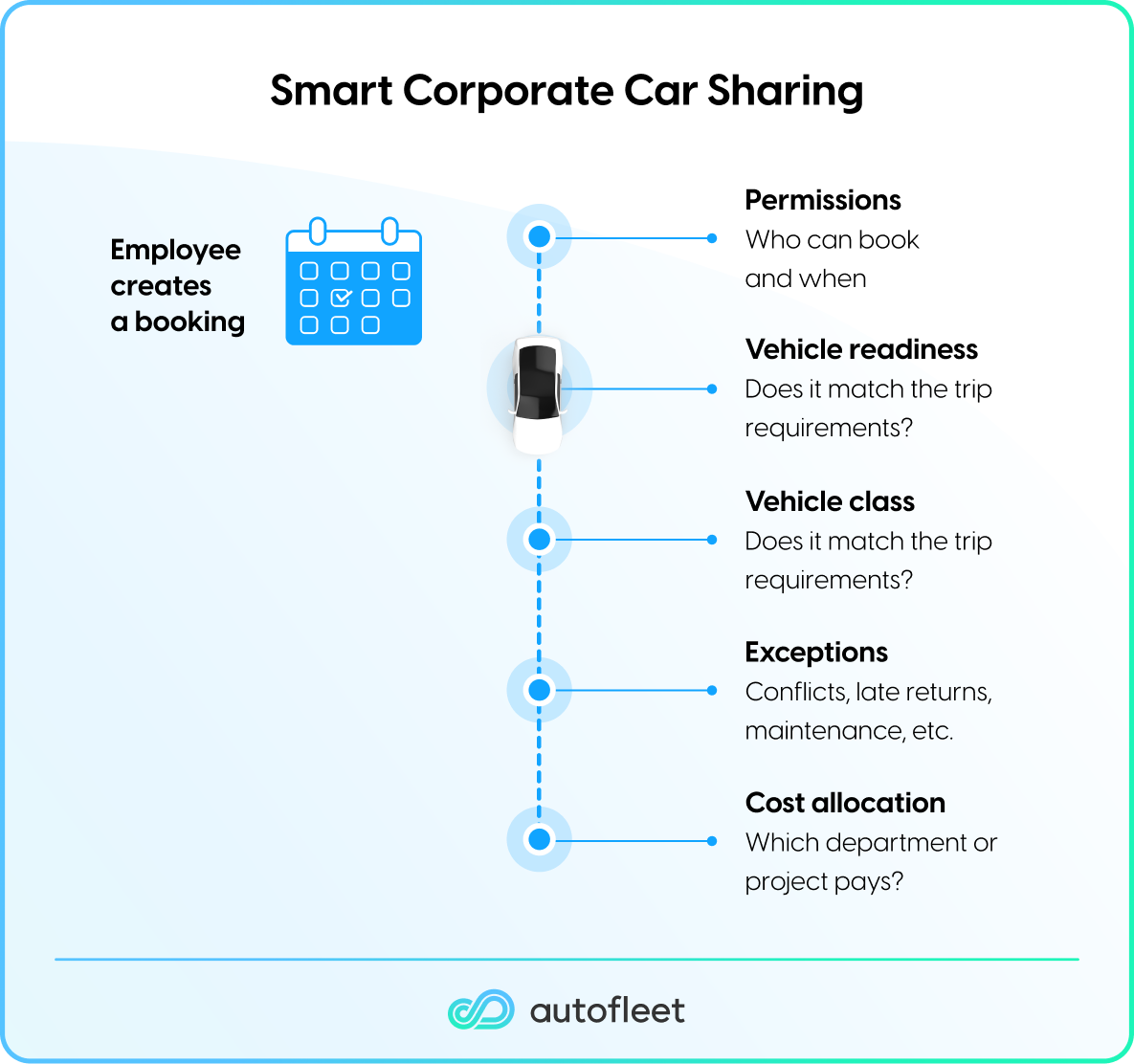
All bookings will depend on a variety of factors, including:
- Booking permissions
- Vehicle readiness
- Vehicle class
- Exceptions, such as late returns
- Which department should pay
- Whether cleaning or maintenance is required before the next booking
Ultimately, this is an optimization problem that goes beyond the reservation. As soon as bookings begin to overlap across different vehicle types and constraints, intelligent car-sharing software is needed to handle allocation and optimization of the fleet.
This is more demanding than consumer car-sharing because employees expect reliability, consistency, and business continuity, not just convenience, and failing to meet demand can result in lost business. Equally, it also differs from traditional corporate fleet management because vehicles move between users, departments, and use cases. With this comes the challenge of key handover issues, poor cost allocation, and damage accountability problems.
While a shared calendar might improve visibility of bookings, it can't decide which vehicle is the right one, whether it should be released, or if it's fit for the next trip. This is especially relevant for fleet management teams that want to offer shared vehicle access without adding manual coordination work. To handle this, your system needs mobility management software logic.
Tips for managing corporate car-sharing with software
The key to optimizing your shared fleet is to use the right software. Here are three practical ways to keep things running smoothly.
1. Let the software allocate the vehicles
Employees want a vehicle that meets their trip needs, but allowing them to choose the vehicle may not be best for the fleet. Instead, let the software allocate the most appropriate vehicle based on availability, use, and fleet policies.
Without this, employees may pick a vehicle that's unsuitable for their journey and use case. For example, they might choose a vehicle with the wrong state of charge, hold back a van needed by another team, or book a vehicle that should be reserved for longer-distance work.
To properly allocate vehicles, the booking flow should capture the trip requirements, including:
- Time
- Location
- Driver
- Vehicle type
- Passenger/load needs
- Range
- Purpose
The mobility management software can then assign the appropriate vehicle based on live fleet status. This ensures that larger vehicles are not used for single-person trips, vans aren't used for traveling to a meeting, and shorter-range electric vehicles (EVs) aren't booked for nationwide site visits. A generic booking tool can show that a vehicle is free, but it cannot weigh that booking against those other variables.
2. Treat readiness as part of the booking
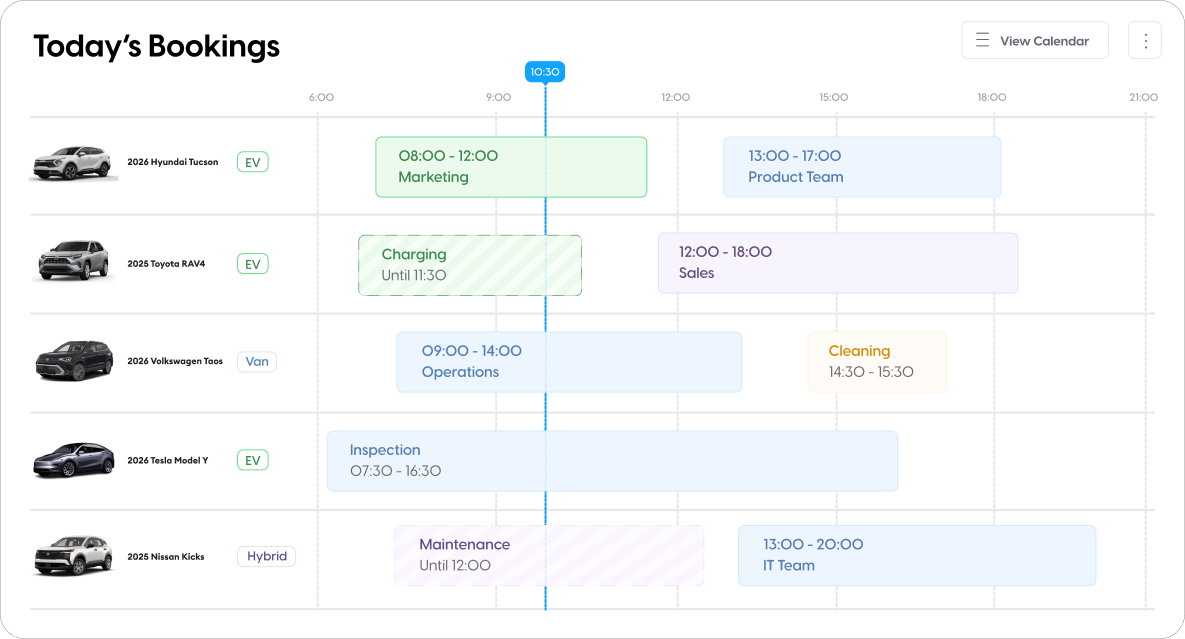
Many generic tools separate the booking from the operational state of the vehicle. This can lead to vehicles not being ready for the next driver, as a generic calendar cannot tell whether a vehicle is clean, charged, inspected, or blocked for maintenance. Corporate car-sharing software fixes this issue by connecting the booking process to readiness.
A vehicle should not be bookable if it is overdue for maintenance, below the required battery/fuel thresholds, flagged for damage, or awaiting cleaning. This is especially important for electric vehicles, as shared EVs require additional logic around state of charge and charging time. The system should plan charging schedules around future bookings and forecasted demand.
To properly link booking and readiness, a reservation should automatically trigger cleaning, charging, or maintenance based on digital vehicle inspection reports. It should also be able to auto-block vehicles during downtime windows and release them when the work is complete.
3. Build exception logic early
Generic systems usually record exceptions after they happen, while car-sharing software triggers the next action automatically. It's the unhandled exceptions that can quickly break your car-sharing program. These might include:
- No-shows
- Late returns
- Early returns
- Damage (both reported and unreported)
- Lost keys
- Unauthorized drivers
- Out-of-zone parking
- Booking conflicts
When any of these things happen, the system automatically applies predefined rules to handle them. This includes alerting the right person, reassigning bookings, blocking vehicles, and creating follow-up tasks.
How to roll out corporate car-sharing without creating a support burden for your fleet team
How you roll out your car-sharing program is about more than the software you choose. There are two sets of decisions that determine whether the program runs smoothly or becomes another support queue. The first covers how employees will use the vehicles, and the second dictates how the system is run.
Employee-facing decisions
The employee-facing process is usually app- or web-based, with users able to view available vehicles, make the reservation, and gain access through an app or RFID card. Before the roll-out can happen, though, you need to decide:
- Who can book vehicles?
- Which vehicles can each employee see based on policy?
- How long can an employee book a vehicle for and when?
- Can employees book from desktop, mobile, or both?
- How do they access the vehicle? Do they need a key?
- What happens if they arrive early, late, or not at all?
- What check-in and check-out steps are required?
- Do they need to log mileage, damage, fuel, charging, or business purpose?
- Are private journeys allowed?
Establishing these rules early on will ensure your fleet team isn't figuring this out as they go with a live pool of vehicles.
Admin decisions
As well as establishing rules for employees, it’s also important to make decisions about admin, workflows, and processes. For example, setting rules for the following:
- Vehicle pools for different sites/departments/roles/use cases
- Approval rules and auto-approval thresholds
- Vehicle class rules
- Booking buffers
- Maintenance, cleaning, and charging blocks
- Damage inspection workflows
- Chargeback exports
- Reporting cadence
- Local permissions
- Escalation paths for exceptions
Defining these rules and workflows leads to predictable operations where fleet managers only need to handle tasks that require a human touch. Getting the correct automations in place saves your team from doing a lot of manual, time-consuming work that could impact the success of the car-sharing program.
Carefully plan your rollout
To avoid turning car-sharing into a burden for fleet teams, you need to plan your rollout carefully.
- Start with one pool or location - Avoid trying to redesign the whole mobility policy at once.
- Define access rules before launch - Employees should only see vehicles they are authorized to use.
- Design the check-in/check-out flow - Keep it short, but capture the data needed for damage, mileage, charging, and accountability.
- Set grace periods and no-show rules - Do this before demand grows; otherwise, it may be hard to scale.
- Connect vehicle readiness to availability - Maintenance, charging, cleaning, and damage should affect whether a vehicle can be booked.
- Review utilization and denied-demand data - The best programs use data to right-size the fleet, not just defend the current fleet size.
See how Autofleet helps operators manage shared vehicles, automate fleet workflows, and improve utilization. Book a demo.


Table of сontents
.avif)